Media for this installation will be published soon.
A real practice installation
WaitCast at Dr. Razmkhah's practice
An opportunity for visitors to learn about the doctor's services
 Preparing the page…
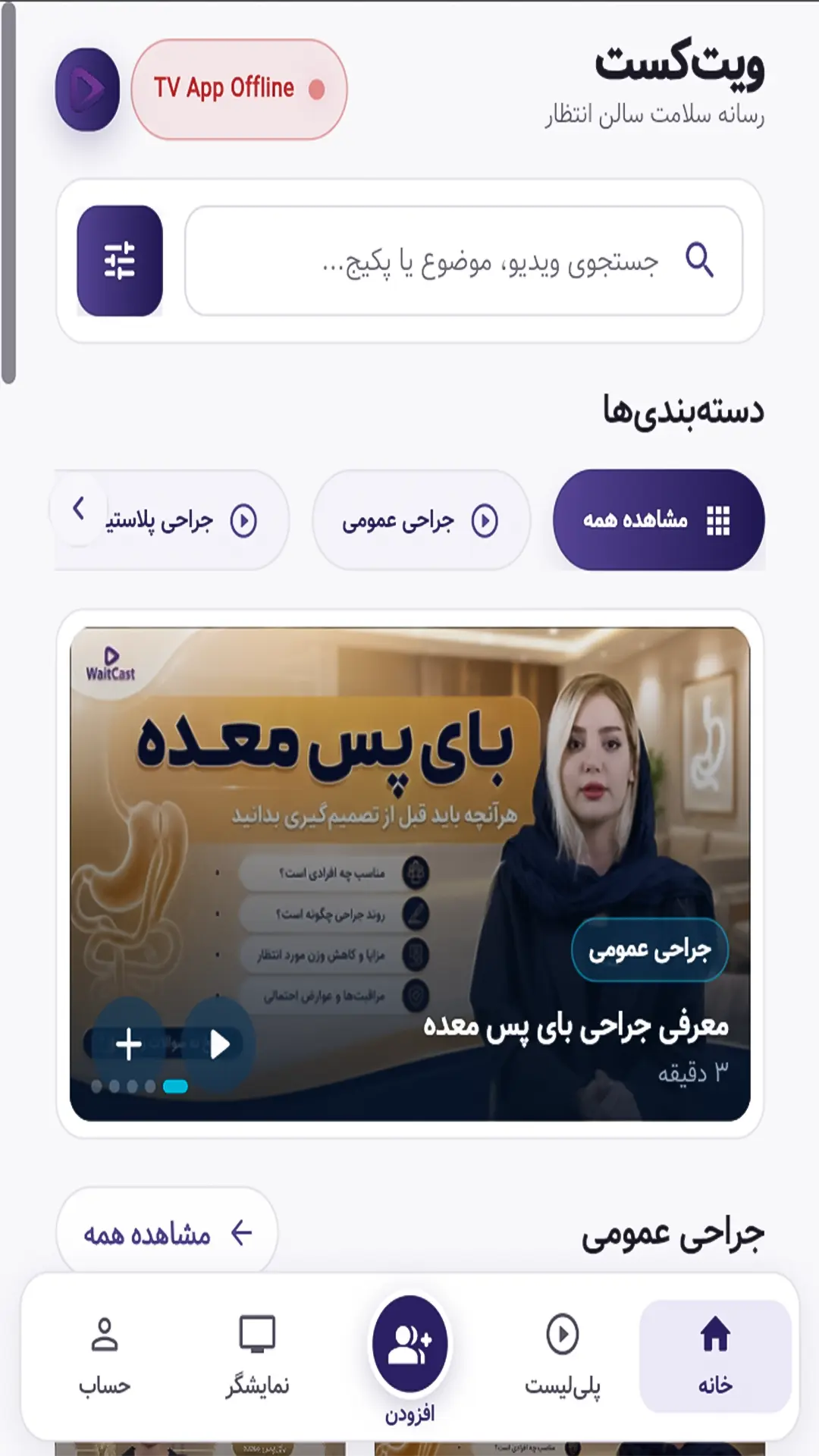
Turn your waiting-room TV into your center's own communication channel. Manage patient education, service introductions and center announcements from one simple panel.
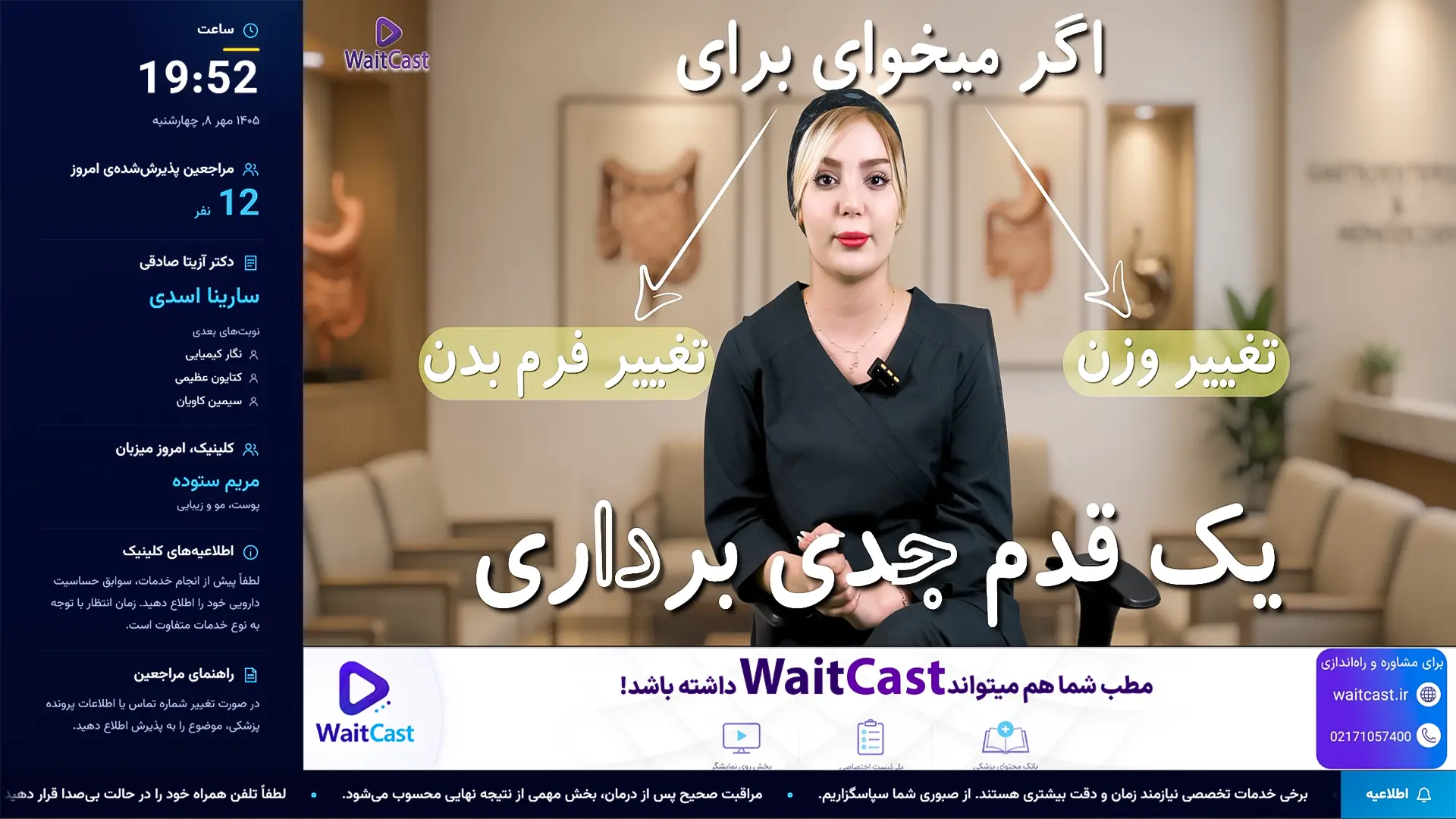
 Patient education on screen
 Content management from the panel
 Consistent playback in the waiting room
See how WaitCast is used on waiting-room displays in medical practices and clinics.
An opportunity for visitors to learn about the doctor's services
With us, waiting time no longer has to be lost time.
Your waiting room can play a part in making your practice better known.
Watch or listen directly to doctors' experiences of setting up WaitCast, managing content and using it every day.
Dr. Leila Sharifi shares her experience of WaitCast in her practice and the role its targeted content has played in helping visitors understand more.
Dr. Farank Fatehpour describes using WaitCast in her practice's waiting area and how it has helped her communicate with visitors.
Dr. Nastaran Zarieh shares her experience of WaitCast and its effect on how she communicates with and informs practice visitors.
WaitCast helps patients learn while giving your services, doctors and important announcements a clear, consistent presence on your practice's display.
Explore featuresPublished figures provide a clear picture of how WaitCast is used in healthcare centers.
Presenting your services, the doctor's experience and the care team helps patients gain a fuller understanding of you and your center, and learn about relevant services and the care pathway before their appointment.
In aesthetic practices, existing work examples and before-and-after images, with valid patient consent, offer an opportunity to introduce services even when the waiting room is quiet. Show only permitted, approved examples.

Patients learn about relevant services and the care pathway before their appointment.
Subscription plans for your region have not been published yet. You can contact our team in the meantime.
Contact our teamInstall the WaitCast app on your TV or Android device, then sign in with your center's account.
01Install the WaitCast app on your TV or Android device.
02Sign in to the app using your center's account details.
03Your center's content is ready to play and is managed from the panel.
WaitCast brings patient education, service introductions, center announcements and doctor interviews together in one organized playback schedule.

Short, practical information to help patients understand more.

Give your center's services, facilities and expertise greater visibility.

Keep announcements, schedules and visitor guidance up to date.
Share common questions and doctors' explanations in a clear, effective format.
Preview specialty videos, messages and screen layouts before choosing a plan.
Clear answers about app installation, internet access, Android boxes, content management and costs.
Contact usInstall the WaitCast app on your TV or Android device, sign in with your center's account and playback begins. Content and playback order are managed from the panel.
A compatible Android box can run the app on a regular display. Selecting and purchasing the Android box is assessed separately from installing the app itself.
Downloaded content plays from local storage during temporary internet outages. Internet access is needed for the initial download and synchronization of changes.
You can manage your center's content and playback order in the WaitCast panel. You do not need to be next to the TV for everyday changes.
Short patient education videos, introductions to services and the care team, center messages and doctors' answers to common questions can be combined in an organized playback schedule.
Yes. Your center's approved files and messages can accompany general content. Professional production of custom videos, if needed, is a separate service.
The number of displays and how they are managed are assessed when choosing a plan, so each device receives the right playback schedule.
The service, number of displays, existing equipment and custom content services are assessed separately so each cost component is clear.
Compare plans or discuss your center's display and content needs with the WaitCast team.